
 I’m happy to report that Discourse.net is again responding to IPv6 requests at 2607:f298:1:102::1f7:4c71.
Thank you to the alert reader who noticed that it wasn’t working.
I’m happy to report that Discourse.net is again responding to IPv6 requests at 2607:f298:1:102::1f7:4c71.
Thank you to the alert reader who noticed that it wasn’t working.
Tweaking may be a disease.
In the quest for speed I’ve moved my very long blogroll from the right margin to a special page of its own, Blogs I Read, and linked to it right under the banner at the top of the page.
This chops almost two more seconds off the load time, at least if the barometric conditions are right.
Just one more thing — really, just one more, honest — that I have to figure out: why, sometimes W3 Total Cache decides to reject the IE user-agent and instead of directing it to the amazon cloud server, sends it to my host instead.
The message (in reveal codes) is
Content Delivery Network via Amazon Web Services: S3: staticd.discourse.net.s3.amazonaws.com (user agent is rejected)
But there’s nothing on the list of user agents to reject that I can see which looks anything like IE. (Full list below the fold).
If you are curious, you can tell which version you got by looking at the source files and searching for “staticd” — if you find it, you got the cloud version; if you didn’t it all came straight from the source. The two versions are supposed to be identical, it’s just a speed issue.
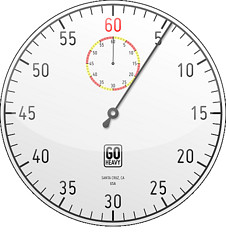 I got the load time down from 9+ seconds (according to Pingdom) to something in the 2-4 second range. Where it falls in that range seems to depend on the atmospheric pressure.
To achieve this result, I took the following steps:
I picked Amazon because it is integrated with my server and also W3 Total cache. But the user interface is awful and the help files are hard going. I’m still not sure I’ve set things up right.
Stopwatch copyright © 2009 casey.marshall. Some rights reserved.
 I indulged my inner geek last night and made some fairly extensive changes under the hood to the blog. If I did it right — always a dubious proposition — then no changes should be visible to the reader whatsoever, except perhaps that the blog will load a bit quicker.
So please do let me know in the comments if anything seems weirder — or less weird — than usual. Or even if they seem the same.
The blog was down much of the day while I was busy in Baltimore and Washington (how does it know to die whenever, and almost only whenever, I’m out of town?). Here, according to support, is the cause:
The apache service did not like the initial IPv6 assigned to the domain. I changed out the IP and reset the apache service for the domain and I can now view the domain.
I don’t actually understand how this is possible, but if this is the straight dope, it suggests IPv6 adoption is going to be much rockier than I ever imagined.
Update: I asked for further and better particulars, and got this:
The tech who helped you is not in the office. Therefor I cannot give you an definitive answer. However, I had a similar issue on another machine. It appeared to be a kernel bug. The IP was visible to the VPS guest, but could not use. It appache cannot listen on an IP, it will not start. The best course of action was to simply renumber the IP. Hopefully this gives you more insight. If you have any additional questions, please let us know.
No idea why, but the widget is working right now, so I’ve restored it to the right column. I like the colors.
 Recent Bluessky Posts
 Jotwell Blenderlaw